13 զարմանալի բան, որ կարող եք անել Ձեր iPhone-ով. Դուք շատ կուրախանաք
LIFE
Բարձրացնել բարձրախոսի ձայնը
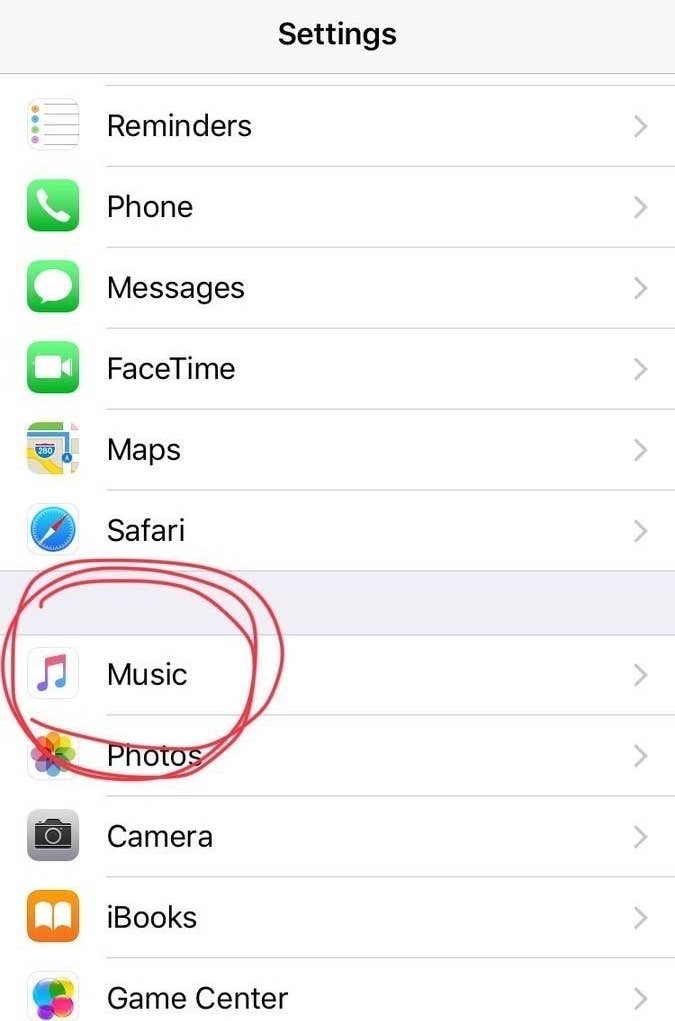
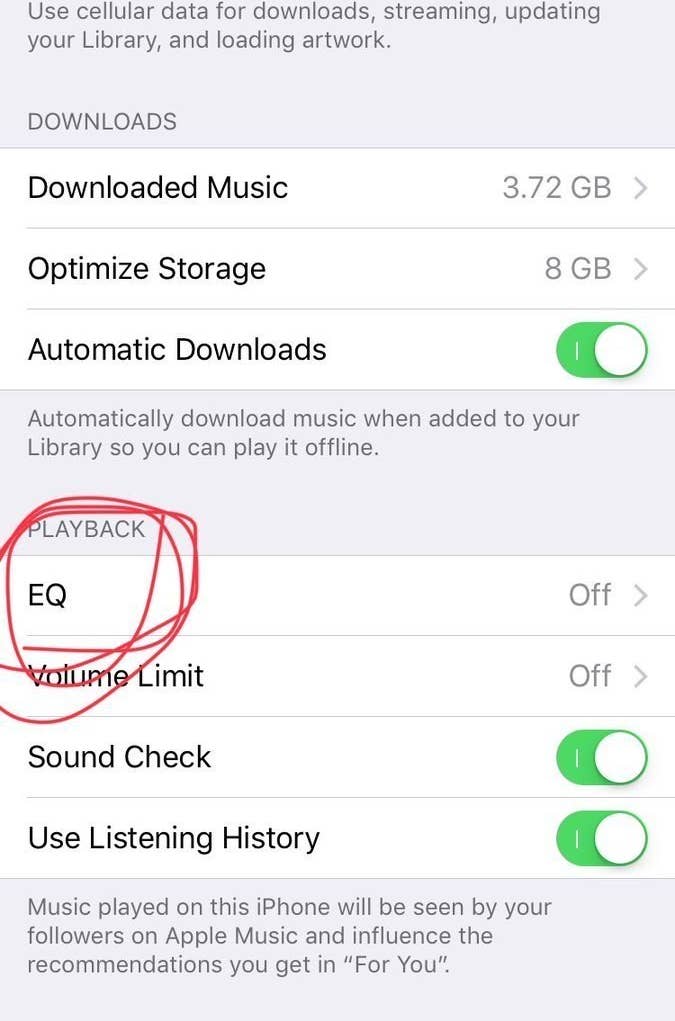
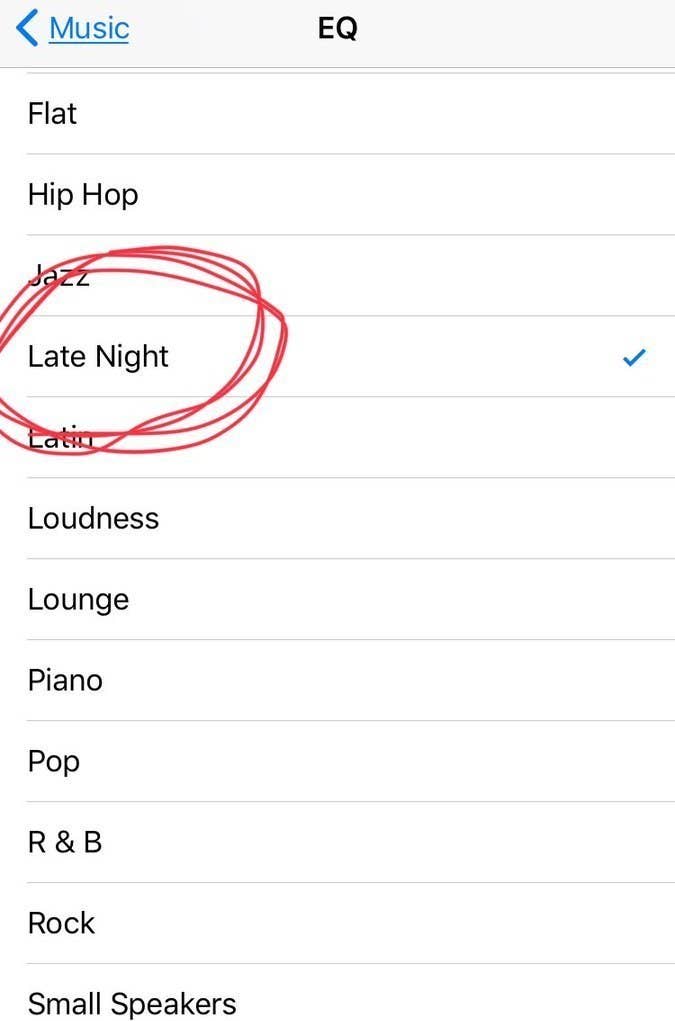
Settings > Music > EQ > “Late Night”.
Սա մի փոքր կբարձրացնի բարձրախոսի ձայնը։ Փորձեք լսել որևէ երգ ու կհամոզվեք ինքներդ։
Էկրանը դարձնել մոխրագույն
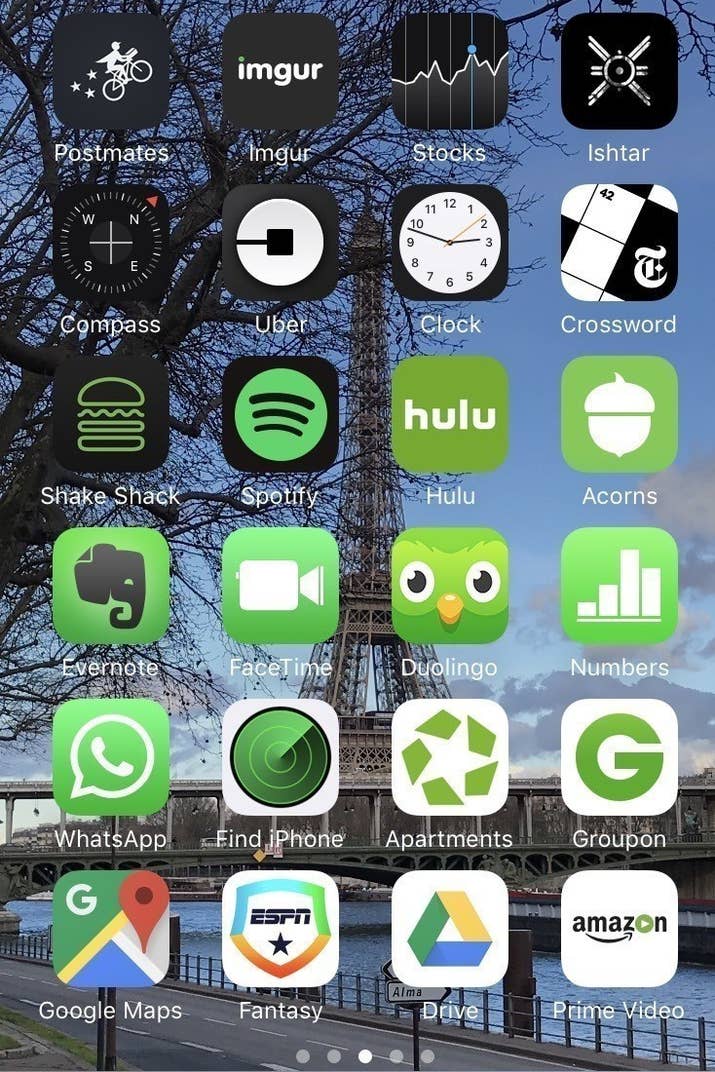
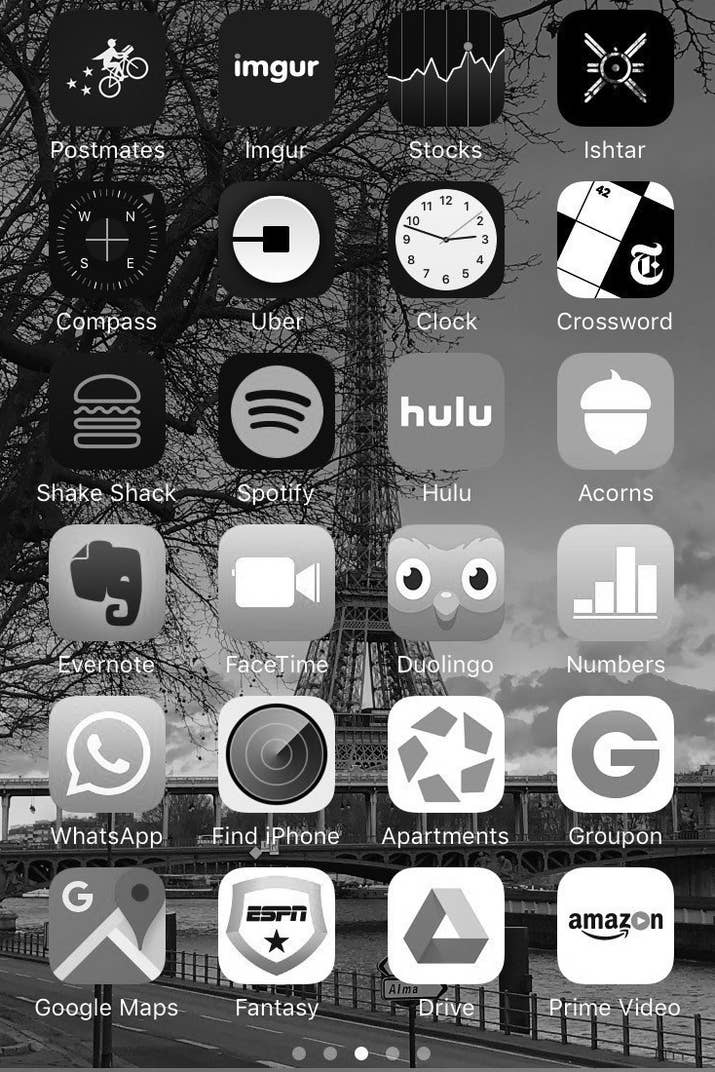
Այս հնարավորությունն այն մարդկանց համար է, ովքեր գունակուրության պատճառով չեն կարող տեսնել էկրանին որոշ օբյեկտներ, սակայն որոշ մարդիկ պնդում են, որ այս ֆունկցիան նպաստում է այն բանին, որ մարդիկ կախվածություն ձեռք չբերեն հեռախոսից։
Պետք է կատարեք հետևյալ քայլերը. Settings > General > Accessibility > Display Accommodations > Color Filters.
Փնտրել նկար՝ ըստ դրանում պատկերված առարկաների
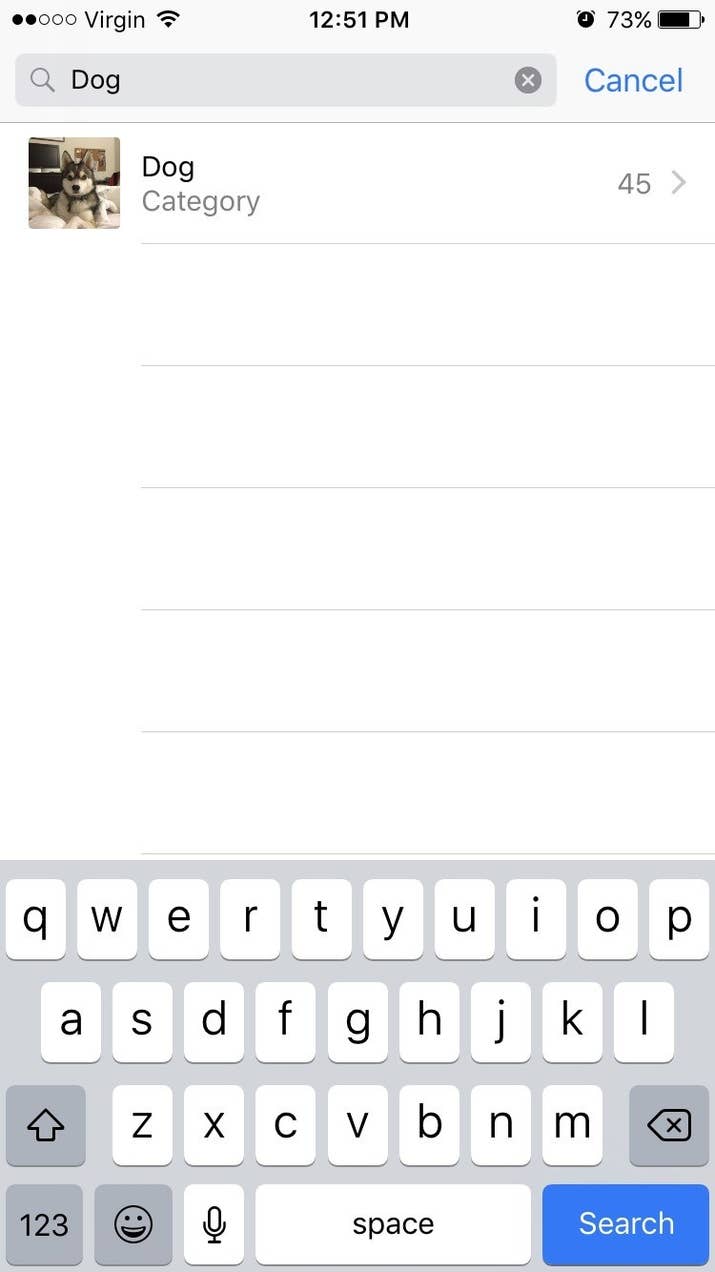
Լուսանկարների բաժնում՝ վերևի մասում, կտեսնեք search նշանը, որը թույլ է տալիս փնտրել նկար՝ պարզապես գրելով այն առարկայի կամ մարդու անունը, ով կա նկարում։ Փորձեք, սա կարծես կախարդանք լինի։
Ընտրել լապտերի պայծառությունը
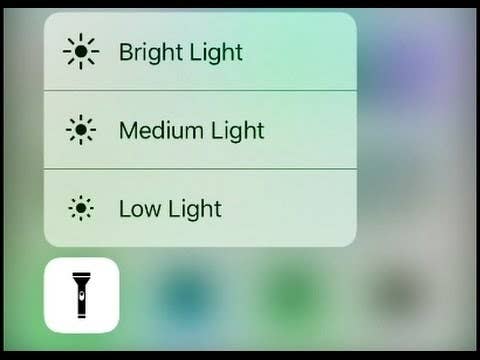
Ձեր հեռախոսի լապտերը չափազանց վառ լույս ունի, բայց եթե մատը սեղմած պահեք լապտերի նշանի վրա, կկարողանաք փոխել պայծառությունը։ Սա հատկապես պետք է գալիս գիշերը, երբ զարթնում եք որևէ բան վերցնելու, բայց չեք ուզում արթնացնել մարդկանց։
Պարամետրերի բաժնից օգտվել միանգամից կարևորագույն ֆունկցիաներից
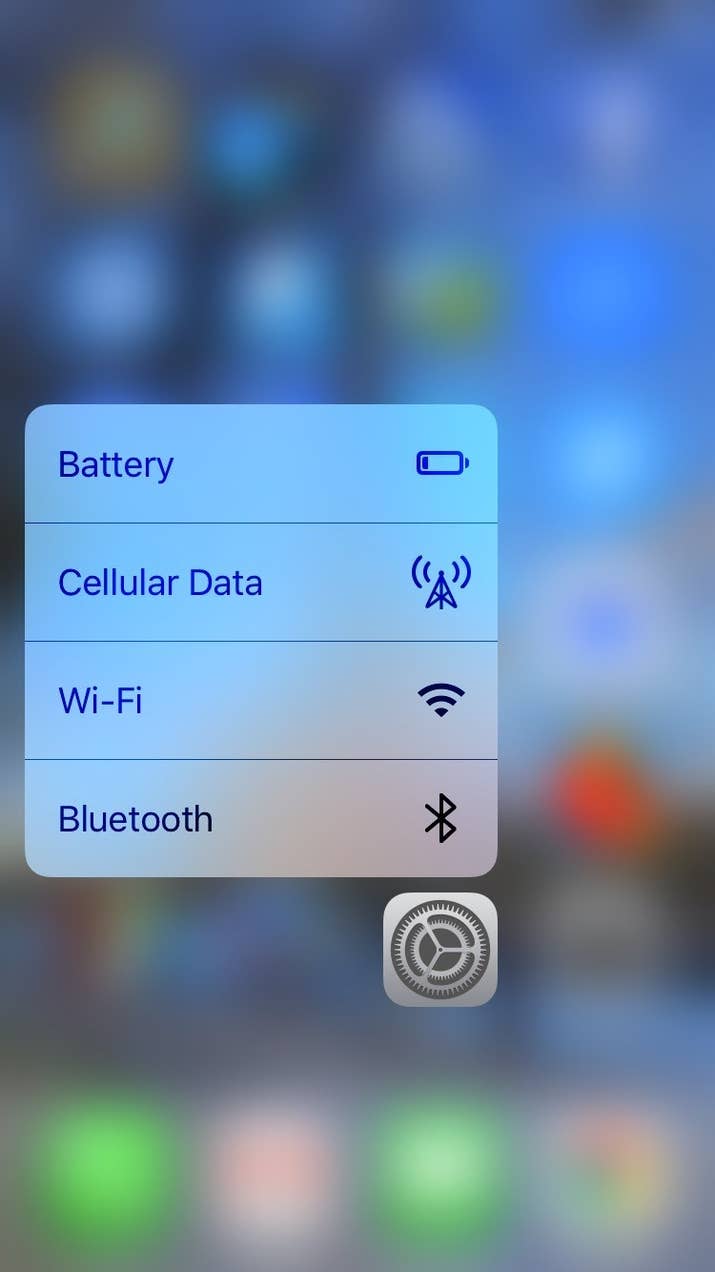
Եթե Դուք օգտագործում եք iPhone 6s կամ հետագա տարբերակներ, ուրեմն՝ կարող եք մի փոքր պինդ սեղմած պահել Settings նշանի վրա, որպեսզի ստանաք 4 կարևորագույն մենյուները՝ Battery, Cellular Data, Wi-Fi և Bluetooth:
Սահմանափակել երաժշտության զբաղեցրած հիշողությունը՝ ավտոմատ կերպով ջնջելով երգերը, որոնք այլևս չեք լսում
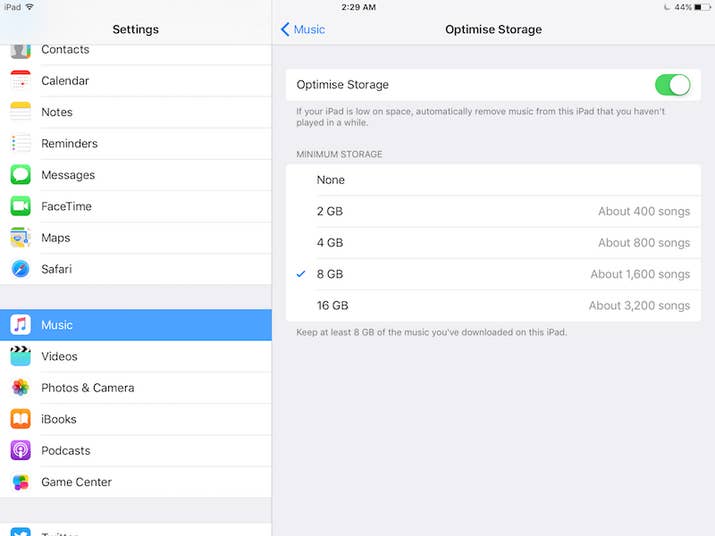
Գնացեք պարամետրերի՝ Settings բաժին, այնուհետև ընտրեք Music բաժինը և ընտրեք հիշողության չափը, որ ուզում եք երգերը զբաղեցնեն։ Դրանից հետո երգերի ծրագիրը կսկսի ավտոմատ ջնջել այն երգերը, որոնք երկար ժամանակ չեք լսել։
Պարզել՝ որտեղ եք կայանել մեքենան
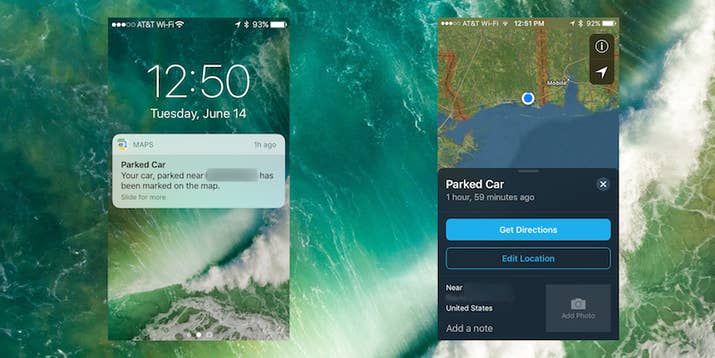
Քարտեզների Maps ծրագիրը հիմա ունի հնարավորություն՝ հիշելու, թե որտեղ եք կայանել Ձեր մեքենան, եթե Ձեր մեքենան ունի Bluetooth ու այն միացրել եք Ձեր հեռախոսին։
Օգտագործել հեռախոսը՝ նկար կախելու համար

Միացրեք Compass ծրագիրը, սահեցրեք ձախ կողմ ու կկարողանաք օգտագործել Ձեր հեռախոսը՝ հասկանալու համար, թե որ ուղղությամբ կախեք նկարը, որպեսզի ուղիղ լինի։
Ինչ-որ բան հաշվելիս ջնջել ընդամենը մեկ թիվ

Շատ մարդիկ ընդամենը մեկ սխալ անելիս պարզապես ջնջում են ամբողջն ու սկսում նորից անել հաշվարկը, սակայն Calculator ծրագիրը հնարավորություն է տալիս ջնջելու ընդամենը սխալ արվածը։ Պարզապես պետք է սահեցնել մատը այն կողմ, որ թիվը ուզում եք ջնջել։
Հեռախոսը unlock անել՝ առանց մեջտեղի կոճակը սեղմելու
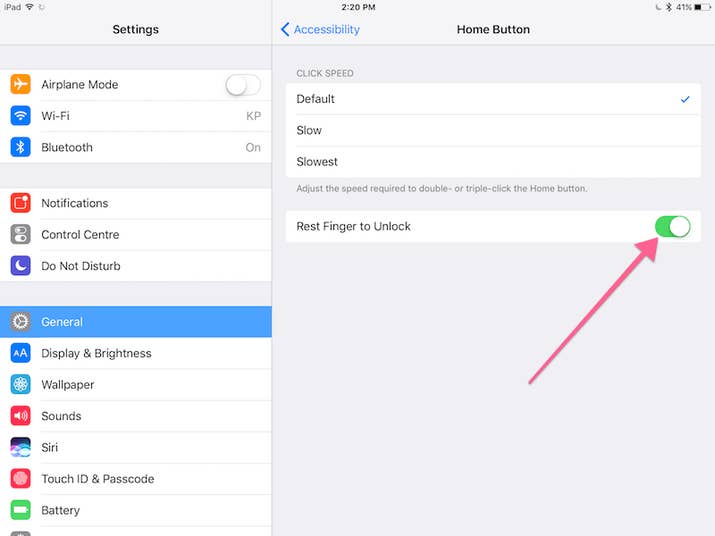
Settings > General > Accessibility > Home Button ու միացրեք “Rest Finger to Unlock” ռեժիմը։
Սարքել իմոջիների Ձեր շորթքաթները
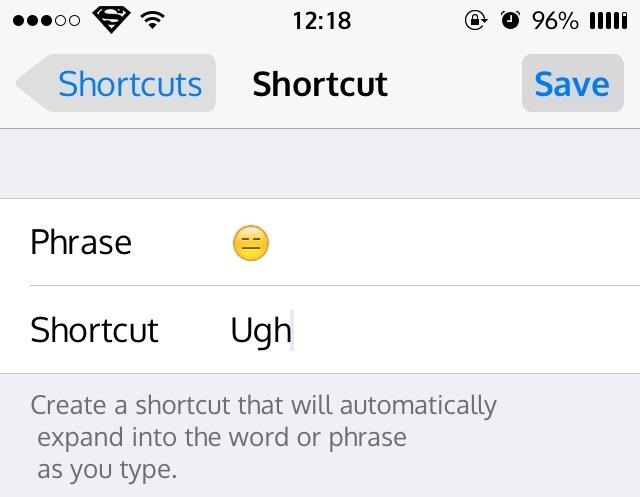
IOS-ի վերջին տարբերակներով հաղորդագրություններ գրելիս կարելի է պարզապես գրել որևէ բան ու ստանալ համապատասխան իմոջին։ Պարզապես գնացեք Settings > General > Keyboard > Text Replacement:
Սա կարող եք օգտագործել նաև հետևյալ կերպ. օրինակ՝ գրեք @@, ու Ձեր հեռախոսը կբերի Ձեր ամբողջական e-mail-ը։
Ուղարկել հաղորդագրություններ՝ տարբեր էֆեկտներով

Եթե սեղմած պահեք ուղարկելու Send կոճակի վրա, ապա կստանաք էֆեկտների մեծ ընտրություն։
Թափահարեք հեռախոսը՝ տեքստ հավաքելիս վերջին գործողությունը չեղարկելու համար

Եթե ինչ-որ տեքստ հավաքելիս մի բան խառնել եք, պատահաբար ջնջել եք գրածը կամ էլ պարզապես փոշմանեցիք ու ուզում եք ջնջել տեքստը, կարող եք թափահարել հեռախոսը՝ Undo Typing ֆունկցիան ստանալու համար։

 IDBank to Present a Unified Ecosystem Concept at DigiTec 2026
 Ucom Supports Annual Mini Whoop Drone Racing Armenia 2026 Competition in Yerevan
 IDBank Presents the Rate.Trading Digital Platform at Toon Expo.Invest 2026
 The Second Khachaturian International Youth Competition Concludes at China National Opera House Under the Artistic Direction of Sergey Smbatyan
 "The network this time for COP17 was the most one of exceptional network we have ever had." The service quality by Team was highly appreciated by UN representative
 Rate.Trading: Large Transactions with Digital Management of Exchange Rate Risks
 VIVA Foundation Named November Beneficiary of “The Power of One Dram”
 Special Mortgage Offers: IDBank at Toon Expo: Invest 2026
 Vahe and Vigen Badalyan File Lawsuit Against 1in.am Seeking Protection of Their Business Reputation
 IDBank at the UBA Regional Conference: From Travel Solutions to Business Opportunities
 Joint statement by the parties consolidatted around the national agenda
 35% Discount for the 35th Anniversary on Selected IDBank Cards
 Converse Bank Expands Its International Capabilities Through Cooperation with Citibank N.A.
 Business loan pre-approval in five minutes — what did Unibank showcase in Gyumri?
 Converse Bank Expands Its International Capabilities Through Cooperation with Citibank N.A.
 Bratislava forum to debate Armenia’s strategic future
 Ucom Service Center in Artashat Reopens at a New Address
 Ucom and Republican Union of Employers of Armenia Sign Cooperation Memorandum
 Create your Visa Digital from Unibank for purchases and transfers
 Ucom – Main Sponsor of the 21st International Microelectronics Olympiad
 IDBank and Idram Hold Financial Literacy Session for Young Chess Players
 Ucom Supports Silicon Mountains 2026, Driving Innovation and Technological Development
 IDBank has issued perpetual coupon bonds for the first time
 IDBank Supports the Reconstruction of the Spandaryan Canal: Commemorative Plaque Dedicated to the Project Signed
 IDBank and Idram Presented Several Environmental Initiatives at COP17
 Ucom Shares Its Experience in Private Sector Engagement in Nature Conservation at COP17 Blue Zone
 «Here’s the screenshot, the money has been transferred»: IDBank warns of fake payment scams
 First Steps in Your Career with IDBank: 16th Cycle of IDream Launched
 Digital Architecture for a Sustainable Future: IDBank's Article in Regional Post Magazine
 Rate.Trading. New Digital Culture of Currency Exchange
 Digital Future and Sustainable Development: IDBank's Chairman of the Management Board in an Interview with Forbes
 Applications Now Open: Armenian Virtuosos International Academy-Festival 2027
 Book Published with Ucom’s Support Presented at COP17: “The Secret Path of Hovazadzor”
 Ucom Highlights the Role of Technology in Nature Conservation at COP17
 “The people of Stepanavan will show through their votes that every attempt to deceive them with videos is doomed to fail”: “Strong Armenia” Party
 With Ucom’s Support, SunChild Brings Cinema and Environmental Conservation Together
 Young Musicians of the “Armenian Virtuosos” Program Perform in the COP17
 A Birthday in Italy with Unibank
 Idram and IDBank Participated in the Opening of My Forest Armenia’s Pavilion at COP17
 Unibank Receives B++ Sustainability Alignment Rating from Agents for Impact GmbH
 Ucom Supported Yerevan Conservation Symposium 2026 as Strategic Partner
 IDBank to Showcase Environmental and Innovative Initiatives at COP17
 New AI-Powered Wildlife Monitoring Camera Installed in Paruyr Sevak with the Support of Ucom
 35 Years of Trust: IDBank Celebrates with Its Customers
 Business and mining leader Mark Cutifani to deliver keynote speech at the 3rd Mining Armenia Forum
 “From Classroom to Orbit”: With Ucom’s Support, “Space 1.0” Is Being Introduced in 15 Schools Across Armenia
 Afeyan Initiatives for Armenia Awards Grant to the Armenia Education Initiative to Expand the Teach For Armenia’s Seroond School Turnaround Program
 Ucom to Participate in COP17 Together with FPWC, Showcasing Their Environmental Partnership
 “The Golden Hour”: IDBank explains how to respond effectively to a scam attack
 Nelli Kocharyan Presents Converse Bank’s Vision for Development of International Relations at the BACEE Conference